|
|

Creating a New Alert for an Element |

|

|

|
||
Creating a New Alert for an Element |
|
|
|

|
|
|
Creating a New Alert for an Element |
|
|
|
||
Creating a New Alert for an Element |
|
|
|
|
|
|
||
 Exercise 14: Create a New Alert for the 'Logistics Cost / Sales' Element in the US West Scorecard.
 | 1. On the Scorecards tab, click Navigator. |
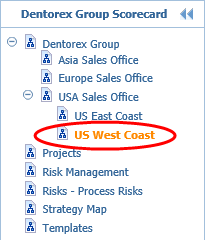
| 2. On the Navigation Frame, click the  buttons to expand the scorecard hierarchy and select the US West Coast scorecard: buttons to expand the scorecard hierarchy and select the US West Coast scorecard: |
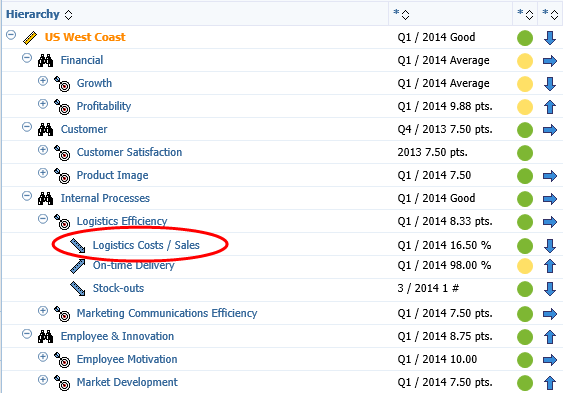
| 3. In the Viewing Frame, click the buttons to expand the Logistics Efficiency hierarchy and click the Logistics Costs / Sales element: |
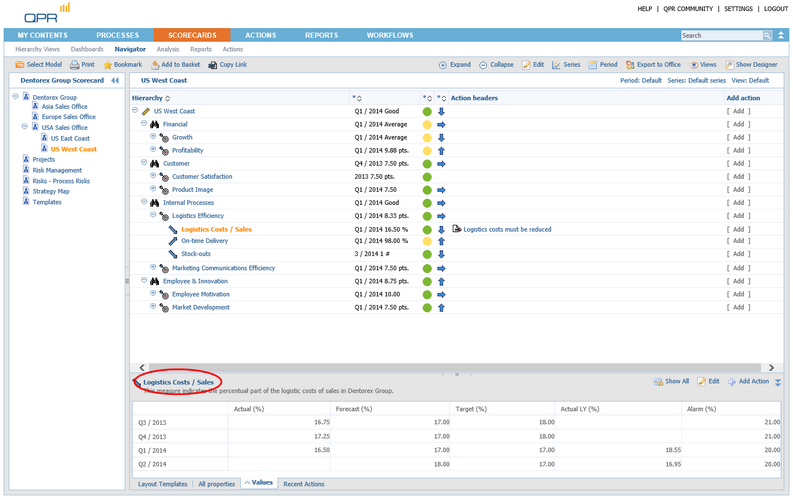
| 4. On the Details Pane, click the name of the Logistics Costs / Sales element: |
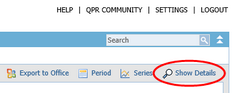
| 5. The Element View opens. On the Toolbar, click  Show Details: Show Details: |
| 6. In the Element View, click  Add in the Alerts section: Add in the Alerts section: |
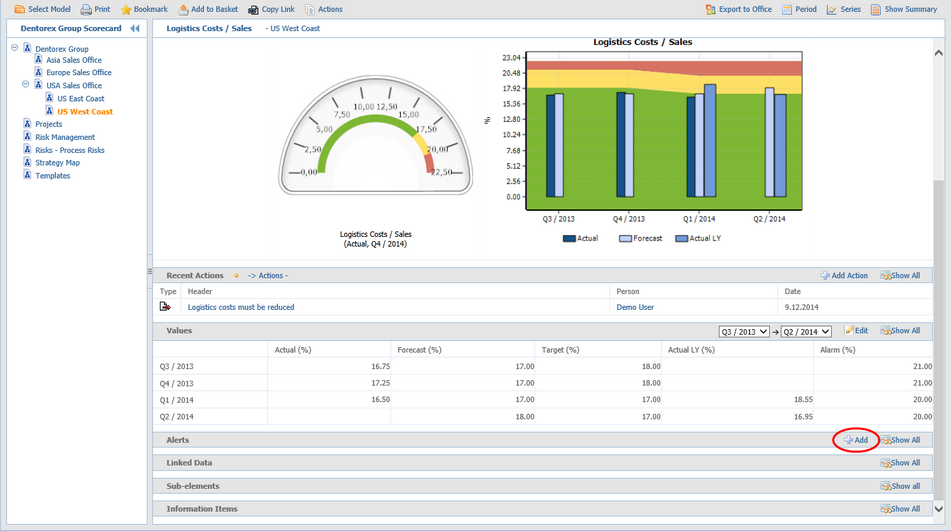
| 7. The Create New Alert window opens. |
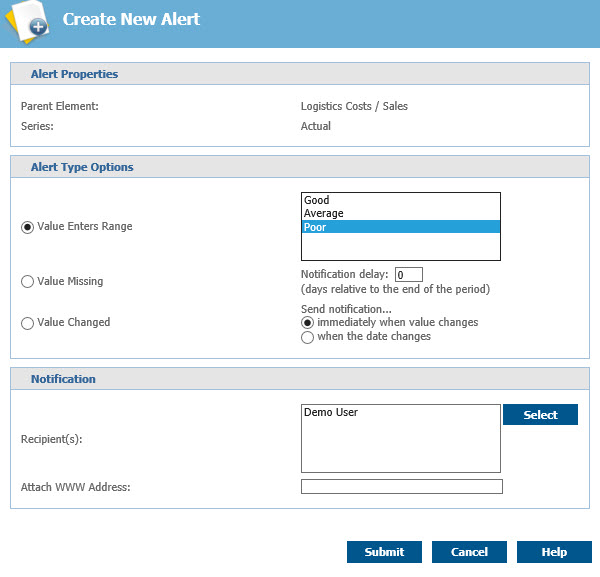
| 8. Select Value Enters Range Poor as the Alert Type. |
| 9. The Alert should now look as in the picture below. Click Submit to add the alert. |
For more information, see the Creating and Editing Alerts topic in QPR Portal - User's Guide.