|
|

Quick Search for All Elements Containing the text 'Processes' |

|

|

|
||
Quick Search for All Elements Containing the text 'Processes' |
|
|
|

|
|
|
Quick Search for All Elements Containing the text 'Processes' |
|
|
|
||
Quick Search for All Elements Containing the text 'Processes' |
|
|
|
|
|
|
||
In addition to using the Search functionality, you can perform quick searches in Portal.
 Exercise 16: Use the Quick Search to Find All Elements Containing the Text 'Processes' and Refine the Search.
 | 1. Type "Processes" into the Search field: |
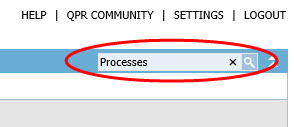
| 2. Click the  Search button. Search button. |
| 3. The search results are displayed. We'll want to search for scorecards only, so remove the selections from the Processes and Actions check boxes in the Search from section: |
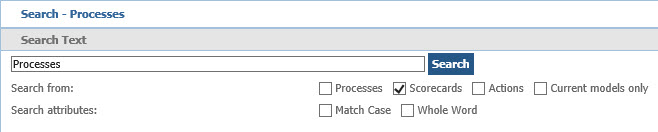
| 4. Click Search. The results are now updated. |
For more information, see the Search topic in QPR Portal - User's Guide.